Google Shopping Best Practices


LightsAmerica offers automated daily feeds formatted for Google Merchant Center. Advanced data add-on is required, please contact us to inquire.
LightsAmerica will schedule daily file generation and provide the feed URL that can be used in Google Merchant Center.
LightsAmerica does not offer Google Shopping account or ad campaign management. Third party expertise is recommended.
Add a data source
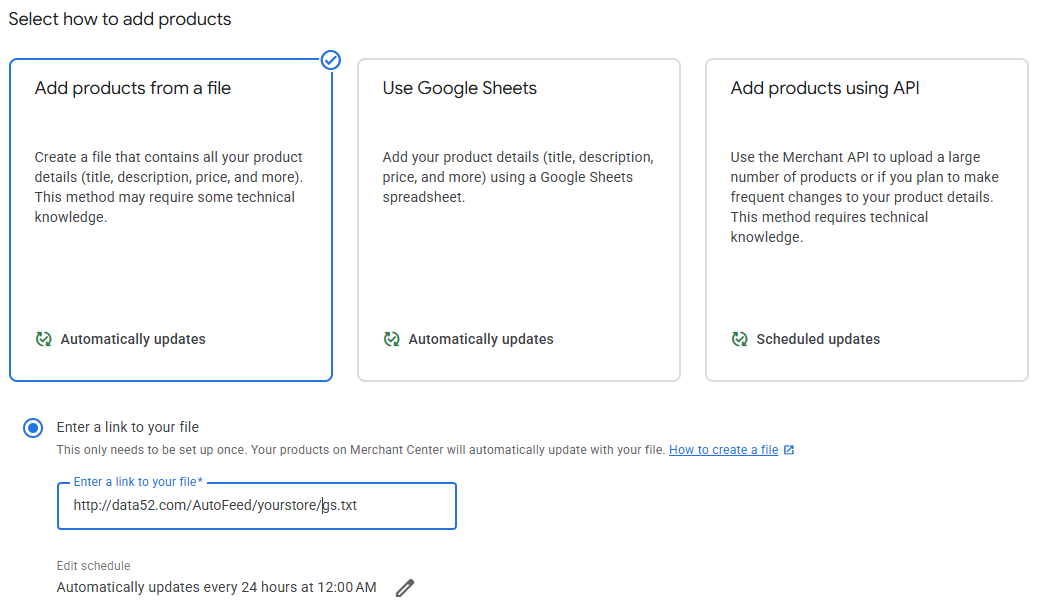
Log in to Google Merchant Center and go to “Data sources”.
Click “Add product source” under “Provided by you”.
Select “Add products from a file”.
Select “Enter a link to your file” and enter the address provided by LightsAmerica.
Edit the Schedule, select “Every 24 hours” and select the time provided by LightsAmerica.
Do not enter authentication info.
Click Continue.
Disable scraper
Google’s website scraper, which is the default data source in Google Merchant Center, may misidentify visually similar products. This results in links to the wrong products with different pricing to be listed.
Google crawler also may not get to every product daily. This results in sale prices not reflecting and not reverting back to IMAP on time, as well as incorrect stock information showing.
These issues may put you in an IMAP violation on Google Shopping.
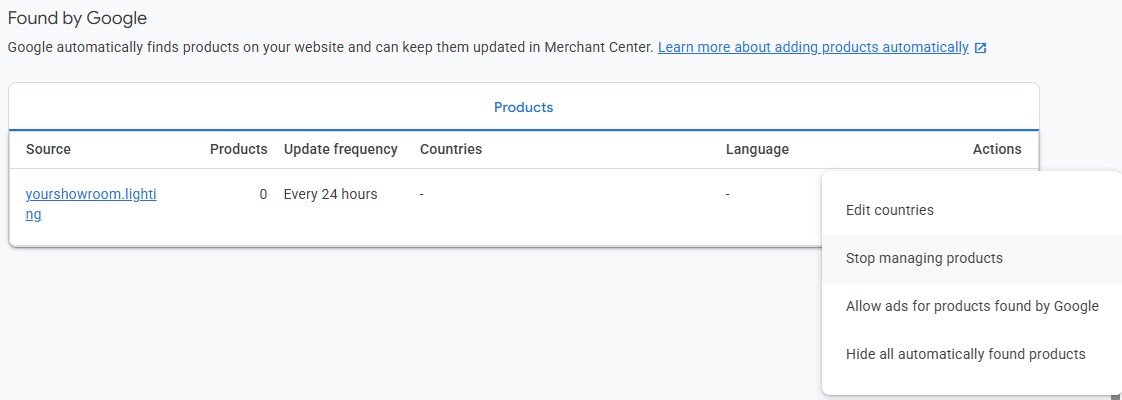
If there is a source, usually with your website domain name, under “Found by Google”:
Click on the 3 dots.
Click “Stop managing products”.
Set up shipping
LightsAmerica does not receive shipping dimensions and weight from manufacturers consistently and reliably. This may cause Google to not be able to calculate shipping rates on some products, and delist them.
Google also requires that you show the same shipping rates on Google Shopping as are in your cart to avoid “bait and switch” confusion.
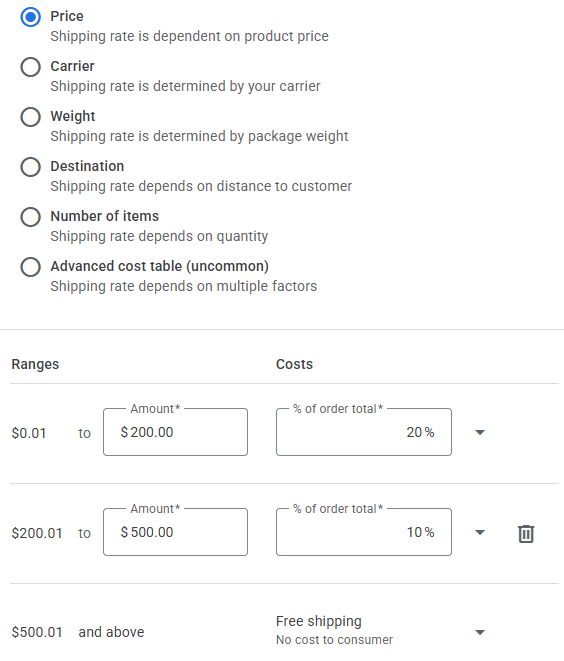
We recommend setting up a shipping rate as a sliding scale based on the total sale amount, and as close as possible to your shipping rules in FoxyCart.
Go to Shipping and Returns.
Click on the pencil icon on an existing policy or click “Add shipping policy”.
When prompted, select “Enter specific delivery times manually” and select the most appropriate options.
Select “Price” and define tiers at the bottom.
Dos and Don’ts
Do hire a marketing, Google Shopping or Google Ads expert to run your campaigns (LightsAmerica does not provide this these services.)
Don’t use Google’s default scraper to add products to Google Merchant Center to avoid IMAP violations.
Do use a LightsAmerica’s Data52 Google Shopping feed for accurate and timely updates.
Do ask us to end IMAP Holidays one day early if your manufacturers are checking IMAPs in the early mornings.
Don’t use Carrier or Weight based shipping rates.
Do use a sliding scale shipping rate based on the total transaction amount.
Do mimic your FoxyCart shipping calculation as close as possible.